Analytics Short Links: How to Create, Track Clicks & Manage Your Links
An analytics short link combines a compact URL with traffic measurement. This guide explains what analytics short links are, how they work, how to create one with Shrtigo, how to read the main numbers, and how account-synced links make management easier across browsers.
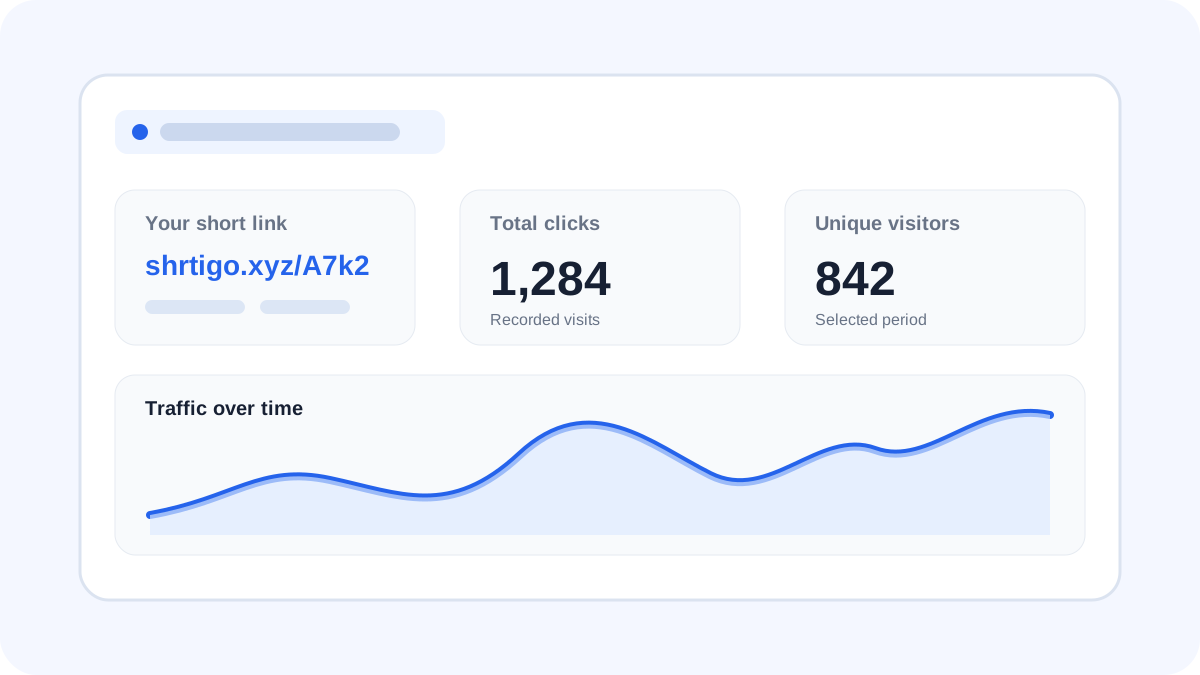
What is an analytics short link?
A normal short URL makes a long web address easier to share. An analytics short link adds measurement around that shared URL, allowing the creator to understand how much traffic the link receives. Instead of relying only on the destination website, you can use the short-link service as a simple measurement point.
For example, a long campaign URL might be difficult to type or remember. A compact Shrtigo Analytics Short Link can be shared in a social post, message, QR code or campaign. When visitors use the short URL, the service can record supported traffic events before the visitor reaches the destination.
How analytics short links work
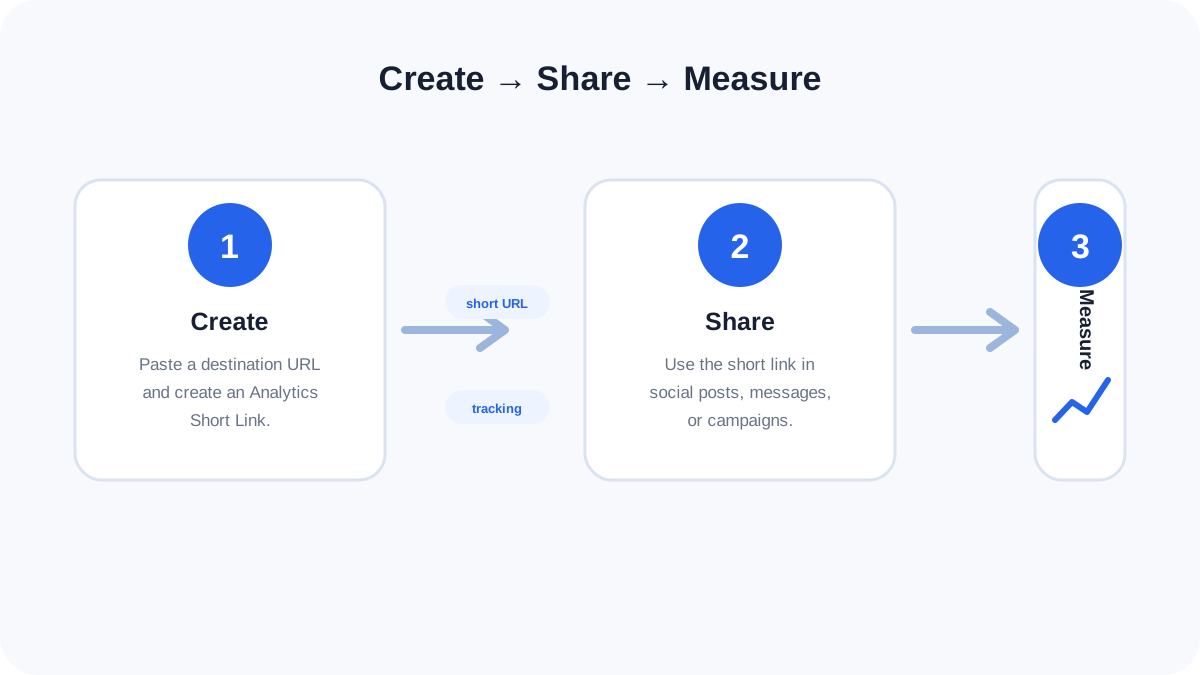
The basic flow is simple:
Create
Enter your original destination URL and create an Analytics Short Link. Shrtigo associates the analytics link with your signed-in account.
Share
Use the short URL in the places where you want people to visit: social media, messages, email, websites, QR codes or marketing materials.
Measure
As people use the link, supported events can contribute to your analytics. Your dashboard can then summarize traffic for the selected reporting period.
How to create an Analytics Short Link with Shrtigo
- Open the Analytics Short Link page. Use the Shrtigo Analytics Short Link tool from the main website.
- Sign in or create an account. An account lets your analytics links stay associated with your account instead of depending only on one browser.
- Paste the destination URL. Enter the complete website address you want visitors to reach.
- Choose optional features. You can use a custom alias and, where supported by the tool, add an image or YouTube preview.
- Create the link. Shrtigo generates the analytics short URL.
- Test before sharing. Open the generated link in a new tab and confirm that the preview and destination behave as expected.
- Share it. Copy the short URL and use it in your intended channel.
Ready to create an analytics link?
Open Shrtigo Analytics Short Link, sign in, create your link and manage your saved analytics URLs from your account.
Open Analytics Short Link →Understanding the main analytics numbers
Total clicks
Total clicks represents recorded link activity over the available data set or selected period. It is useful for comparing how much attention different links receive.
Unique visitors
Unique visitors is intended to estimate distinct visitors rather than simply counting every click. Depending on the tracking implementation, privacy controls, browsers and network conditions, this number should be treated as an estimate rather than a perfect count of people.
Active visitors
Active now can indicate recent activity in a short time window. It is useful when you want a quick view of whether a link is receiving traffic right now.
Why the numbers may not match another analytics tool
Different analytics systems can use different counting windows, filtering rules, cookies, privacy protections and definitions of a visitor. Small differences are therefore normal. Use one system consistently when comparing campaigns.
Manage analytics links across browsers
One advantage of account-based analytics is that your saved links do not have to be tied to the browser where you originally created them. Sign into the same Shrtigo account on another browser or device and the Analytics Short Link page can load the analytics links associated with that account.
This is different from ordinary browser-only history. Local browser storage can be useful for convenience, but it does not automatically follow you to another browser. Account-synced analytics links are designed for cross-browser management.
Best practices for analytics short links
- Use descriptive aliases when appropriate. A readable alias can make a campaign easier to recognize.
- Test every link. Check the short URL on mobile and desktop before distributing it widely.
- Use separate links for important campaigns. Different links make it easier to compare traffic sources when your workflow supports it.
- Keep the destination trustworthy. A short URL hides part of the final address, so only share destinations you control or trust.
- Do not treat analytics as personal identification. Use aggregate metrics responsibly and avoid making claims that the data cannot support.
- Review unusual traffic carefully. Bots, previews, automated scanners and repeated visits can affect click counts.
- Keep important links organized. Delete obsolete links when they are no longer needed and keep active campaigns clearly identifiable.
Frequently asked questions
What is an analytics short link?
It is a shortened URL that can be associated with traffic measurements such as clicks and visitor estimates, depending on the service and reporting period.
Can I manage my analytics links from another browser?
Yes. Shrtigo's Analytics Short Links are account-synced. Sign into the same account on the other browser to load the links associated with that account.
Does every click represent a different person?
No. A click is an event, while unique visitors are an estimate of distinct visitors. Automated traffic and privacy protections can also affect measurement.
Can I use a custom alias?
Yes, when the custom-link option is available and the alias meets the tool's rules and is not already in use.
Can I add an image or YouTube preview?
The Shrtigo Analytics Short Link tool supports optional image and YouTube fields. These are preview features and do not replace the main destination URL.
Are analytics numbers perfectly accurate?
No analytics system should be assumed to be perfectly complete. Browser privacy settings, automated traffic, network behavior and counting definitions can change the numbers.